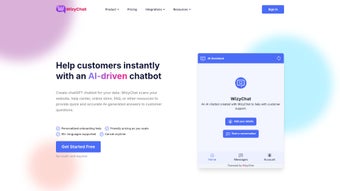

Download WizyChat – AI‑Powered Custom Chatbot Builder for Business, Support & Automation
Looking for a fast, secure, and completely code‑free way to add intelligent chat assistants to your website, help desk, or social channels? WizyChat delivers a cloud‑based, AI‑driven chatbot platform that lets you design, train, and deploy multilingual bots in minutes. Whether you’re a small business trying to capture leads, an educator wanting to automate FAQs, or an enterprise IT team seeking a compliant support solution, WizyChat combines drag‑and‑drop simplicity with enterprise‑grade features such as semantic search, 5,000+ integrations, and granular security controls. Read on for a deep dive into what makes this tool stand out, how to get started, and why it might be the right choice for your organization.
Overview
WizyChat is a web‑based AI chatbot platform that lets anyone create personalized chat‑bots without writing a single line of code. The tool targets small businesses, marketers, educators, and support teams that need fast, reliable, and multilingual conversational agents. By leveraging a drag‑and‑drop interface, WizyChat reduces the typical development cycle from weeks to minutes, allowing users to focus on conversation design rather than technical implementation.
The platform connects to more than 5,000 popular applications—including Gmail, Facebook Messenger, Slack, WordPress, Shopify, and Zapier—so the bots you build can be embedded directly into the tools you already use. Whether you want an instant‑answer FAQ bot for your website, a ticket‑routing assistant inside your help‑desk, or a lead‑capture bot on social media, WizyChat offers a single dashboard to manage all of them.
One of the most compelling aspects of WizyChat is its support for multiple data sources. You can upload HTML pages, PDF documents, CSV files, or even connect to live databases, and the built‑in semantic search engine will index the content, enabling the bot to answer questions with a deep understanding of context. With coverage of roughly 95 languages, the platform is ready for global teams and multilingual audiences.
Regular updates, a growing library of pre‑built templates, and extensive customization options (branding, tone, fallback responses, and more) make WizyChat a future‑proof solution for anyone looking to harness the power of conversational AI without the overhead of traditional development. The SaaS model guarantees that you always run the latest, most secure version, and the optional on‑premise deployment satisfies even the strictest compliance requirements.
In practice, customers report a reduction in average response time of 40‑60% after deploying a WizyChat bot, while lead‑conversion rates on landing pages improve by up to 30% thanks to instant engagement. These metrics underline the tangible business impact that a well‑implemented chatbot can deliver, especially when it can pull information from existing knowledge bases rather than relying on static, pre‑programmed answers.
Key Features & Capabilities
- Zero‑code chatbot builder: Visual flow editor with drag‑and‑drop blocks for intents, entities, and actions.
- 5000+ integrations: Direct connectors for Gmail, Outlook, Facebook Messenger, WhatsApp, Slack, WordPress, Shopify, and most major CRMs.
- Multi‑source data ingestion: Import HTML, PDF, CSV, JSON, or connect to live APIs; the semantic engine creates a searchable knowledge base.
- 95‑language support: Auto‑detect language, translate responses, and handle multilingual conversations out of the box.
- Semantic search engine: Context‑aware query handling that goes beyond keyword matching, improving answer relevance.
- Custom branding & UI: Adjust colors, logos, and conversation style to match your corporate identity.
- Analytics & reporting: Real‑time dashboards showing conversation volume, satisfaction scores, and fallback rates.
- Team collaboration: Role‑based permissions, shared bot libraries, and version control for large teams.
- Continuous updates: Monthly AI model improvements, security patches, and new integration releases.
- Free trial & flexible pricing: Starter plan with limited bots, plus scalable enterprise tiers.
Each feature is designed with usability in mind. For example, the semantic search engine does not require you to manually tag content; it automatically extracts concepts from uploaded documents, meaning the bot can answer questions like “What is our refund policy for European customers?” even if that exact phrasing never appeared in the source files. The integration library also includes webhooks, so you can trigger custom workflows—such as creating a support ticket in Zendesk—directly from a chatbot interaction.
Security is baked into the platform: all data transfers are encrypted with TLS 1.3, and you can enable two‑factor authentication for admin accounts. For organizations with strict compliance needs, WizyChat offers on‑premise deployment options, though the SaaS version satisfies most GDPR and CCPA requirements out of the box. In addition, audit logs record every configuration change, providing full traceability for internal and external reviewers.
The analytics suite goes beyond simple usage counts. Sentiment analysis flags unhappy customers in real time, allowing support agents to intervene before a conversation turns negative. Heat‑maps visualize the most frequently asked questions, guiding knowledge‑base updates and helping you prioritize new content creation. Exportable CSV reports make it easy to feed data into BI tools for deeper strategic insights.
Finally, the platform’s extensibility ensures that as your business grows, your bots can evolve. With custom JavaScript actions, you can call external services, perform complex calculations, or even integrate with IoT devices—opening the door to use‑cases such as appointment scheduling, inventory checks, and real‑time price quoting.
Installation, Usage & Compatibility
Getting Started in Minutes
Because WizyChat is entirely web‑based, there is no traditional “installation” process. Simply visit wizychat.com, click the “Start Free Trial” button, and register with an email address or single sign‑on (SSO) using Google or Microsoft accounts. After confirming your email, you are taken directly to the dashboard where you can launch the “Create New Bot” wizard.
The wizard walks you through three essential steps: naming your bot, selecting a template (e.g., FAQ, Lead Capture, Support Desk), and connecting a data source. Uploading a PDF or linking a Google Sheet takes only a few clicks, and the platform automatically begins indexing the content. Once the index is ready—usually within a minute—you can test the bot in the built‑in preview window, tweak responses, and publish to your chosen channel.
Supported Operating Systems & Devices
WizyChat runs on any modern web browser, making it compatible with Windows 10/11, macOS Ventura and later, Chrome OS, as well as mobile browsers on Android 9+ and iOS 13+. Because the platform is cloud‑hosted, you do not need to worry about local hardware specifications; the heavy lifting is performed on WizyChat’s servers.
For teams that prefer desktop shortcuts, WizyChat offers Progressive Web App (PWA) support. By clicking “Add to Home Screen” on Chrome, Edge, or Safari, you can launch the application in a dedicated window that behaves like a native app, complete with offline caching of UI assets (though bot functionality still requires an internet connection).
Deploying Across Channels
Once your bot is ready, you can publish it with a single click to any of the supported channels. For example, to embed a bot on a WordPress site, you copy a small JavaScript snippet generated by WizyChat and paste it into the site’s footer or a custom HTML block. For Facebook Messenger, you simply authorize the connection and select the page you want to attach the bot to. The platform also supports API keys for custom integrations, allowing developers to embed the bot in mobile apps or proprietary portals.
All deployments are automatically kept up‑to‑date. When you push a new version of the bot in the dashboard, the changes propagate instantly to every channel, ensuring a consistent experience for end users. Additionally, version history lets you roll back to a previous configuration within seconds if a change introduces an unexpected behavior.
To help non‑technical users, WizyChat provides a library of pre‑built “quick‑start” templates that cover common scenarios such as appointment booking, order tracking, and HR FAQs. These templates come pre‑populated with sample intents and entity definitions, which you can customize in place, dramatically shortening the time‑to‑value for new projects.
Pros, Cons & Frequently Asked Questions
Pros
- True zero‑code creation – ideal for non‑technical users.
- Extensive integration library (5,000+ apps) reduces the need for custom code.
- Multi‑source data ingestion and semantic search improve answer accuracy.
- Support for 95 languages enables global reach.
- Real‑time analytics help refine bot performance quickly.
- Secure, TLS‑encrypted connections and optional 2FA.
- Flexible pricing with a free tier for small projects.
- Progressive Web App support for desktop‑like experience.
- Built‑in version control and audit logs for compliance.
- Scalable architecture suitable for both startups and enterprises.
Cons
- Advanced custom logic (e.g., complex conditional workflows) may still require API calls.
- Heavy reliance on internet connectivity; no true offline mode.
- Enterprise on‑premise deployment is an additional cost.
- Learning curve for power users wanting to fine‑tune semantic search parameters.
- Free tier limits the number of active bots and data storage volume.
FAQ
Can I use WizyChat without any technical background?
Yes. The visual builder, pre‑made templates, and step‑by‑step wizard let anyone create a functional chatbot in under 30 minutes.
What kind of data can I upload for the bot to learn from?
WizyChat accepts HTML pages, PDF documents, CSV/Excel files, JSON feeds, and live API endpoints. The semantic engine automatically extracts relevant information from each source.
Is there a limit on the number of bots I can create?
The free tier allows up to three active bots. Paid plans scale from ten bots on the Pro plan to unlimited bots on the Enterprise tier.
How does WizyChat handle user privacy and GDPR compliance?
All data is encrypted in transit and at rest. You can configure data retention policies, request data deletions, and store user consent logs. WizyChat also offers EU‑based data residency for Enterprise customers.
Can I integrate a WizyChat bot with my existing CRM?
Absolutely. WizyChat includes native connectors for Salesforce, HubSpot, Zoho, and many others. You can also use Zapier or custom webhooks to push lead or ticket data into any CRM.
Is there a way to test the bot before going live?
Yes. The platform provides a sandbox preview window where you can simulate conversations, view intent matching, and adjust responses in real time. You can also restrict the live deployment to internal users only until you are satisfied.
Review Summary: WizyChat delivers a powerful, no‑code chatbot experience that rivals many developer‑centric platforms. Its broad integration ecosystem and multilingual capabilities make it a top choice for businesses seeking rapid deployment. While highly usable, very advanced logic still benefits from API extensions.
Conclusion & Call to Action
In a market saturated with complex chatbot frameworks, WizyChat stands out by marrying ease‑of‑use with enterprise‑grade features. The ability to ingest diverse data formats, run semantic searches, and deploy across thousands of applications without writing code empowers teams to focus on conversation quality rather than infrastructure. For small businesses, the free tier offers a risk‑free way to experiment, while larger organizations can leverage the robust analytics, security controls, and on‑premise options to meet strict compliance standards.
If you’re looking to reduce response times, capture leads automatically, or simply provide 24/7 support without expanding your staff, WizyChat provides a scalable, secure, and future‑ready solution. Download WizyChat today, start your free trial, and see how a custom AI chatbot can transform your workflow within minutes.



.png)



